
High-port Touchstone import
Select lanes from dense S32P data and keep review setup repeatable.
 Quick-S
Feature workflows
Quick-S is built for Windows 10/11 x64 desktop workflows. The first public package focuses on fast measured-data review, repeatable report generation, SNP operations, fixture de-embedding, DC IR layout estimates, COM/IBIS-AMI debug, and flexible customer-ready reports.
01 / Fast review
Quick-S keeps quick inspection simple. Import Touchstone files and plot immediately to review measured data quality without first building a report setup.
02 / Repeatable reporting
For recurring reviews, Quick-S reduces the tedious setup work: pin definitions, line style, plot layout, and report settings can be reused instead of rebuilt every time.

03 / SNP workspace
Quick-S gathers the work normally scattered across small utilities into one desktop surface for Touchstone analysis and cleanup.
04 / Engineering pre-check
Quick-S includes S4P Adjust, simplified eye/channel checks, IEEE COM 4.15 helpers, DC IR layout estimates, Reference S4P generation, and IBIS-AMI template tools that help engineers reason about S-parameter and layout data during early debug.

05 / Report layout
Quick-S reports can be shaped around the review task instead of forcing every result into one fixed layout.

Product screenshots
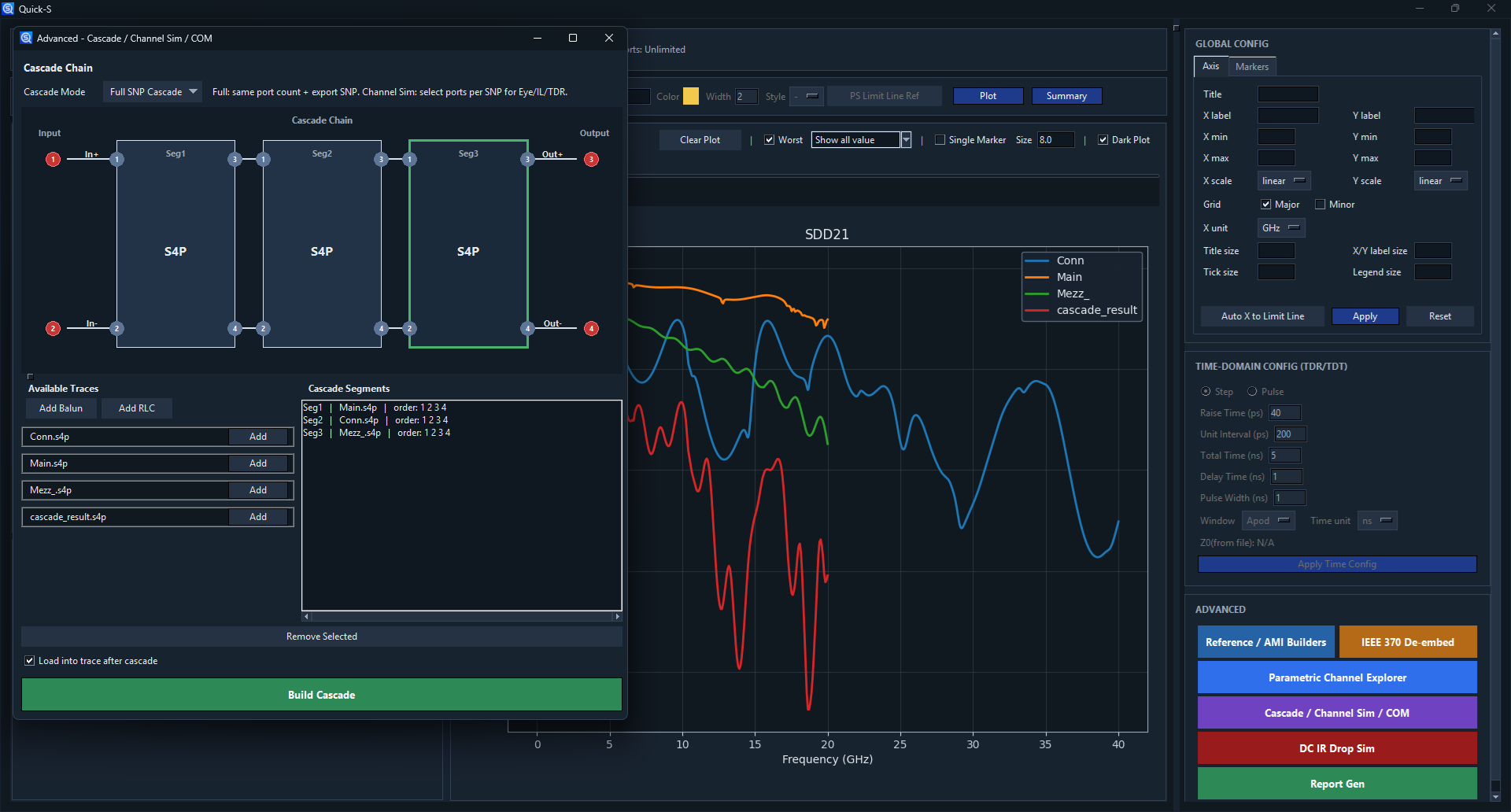
These views show current desktop UI work for high-port import, markers, cascade/channel simulation, COM, parametric exploration, and DC IR.
Select lanes from dense S32P data and keep review setup repeatable.

Use markers and single-marker labels to inspect crowded high-port results.

Configure TX/RX sources, AMI files, channel outputs, and eye/debug views.

Run COM helper flows from the same advanced workflow surface.

Compare base and target stackup trends from a repeatable configuration.

Review layout-based voltage drop and current-density estimates.
Engineering pre-check scope: Channel Sim, Eye Diagram, DC IR Drop, S4P Adjust, generated S4P models, COM helpers, and IBIS-AMI Template packages use simplified behavioral, rasterized sheet, or transmission-line models. They are intended for trend comparison, sanity checks, and debug workflows, not as replacements for 2.5D/3D EM solvers, independently qualified detailed analysis, measurement validation, qualified model delivery, or final sign-off.
Preparing for evaluation